
Creating Animated Invitations from Still Designs
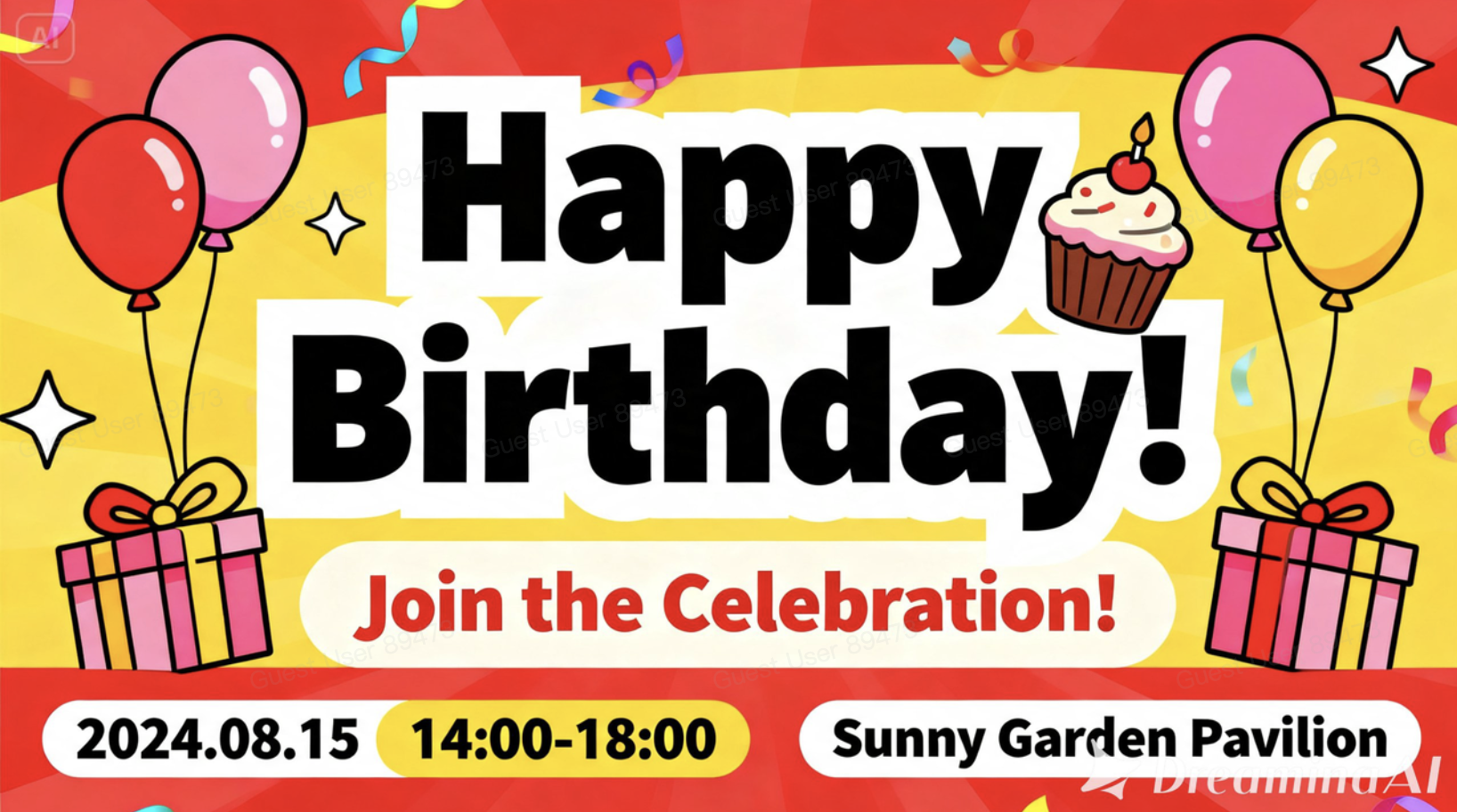
A beautifully designed invitation gets one shot to set the mood before it's swiped past or tucked in a drawer. That's a lot of pressure for a flat card to carry alone. This is exactly where image to video tools earn their keep, taking a static invitation design and turning it into something that moves, glows, and actually feels like the event it's announcing. Dreamina makes that transformation simple, and its most advanced video generation model, Seedance 2.5, is what turns a nice design into a genuinely memorable one. If you've ever opened a digital invite and wished it felt less like a PDF and more like a preview of the celebration itself, this is how that happens.
Why a still invitation only tells half the story
A printed or digital invite communicates the facts, date, time, place, but it rarely communicates the feeling of the event. Motion fills that gap. A candle flame flickering, confetti drifting, text easing into frame instead of sitting still: these small touches turn an announcement into an experience before the guest has even RSVP'd. It's also a small but meaningful way to set expectations, since the tone of the motion often tells a guest as much about the event as the words on the card do.
What makes an invitation video actually work
Not every animated invite needs fireworks. They usually have some common elements like:
Motion that corresponds to the mood of the event, not just flashy sparkles
Typography that smoothly transitions in, not popping in right away
A color scheme similar to that of the print/digital version
Enough animation to make it feel alive but not overwhelming
Creating motion for your design using Dreamina
Step 1: Upload your design and explain the motion
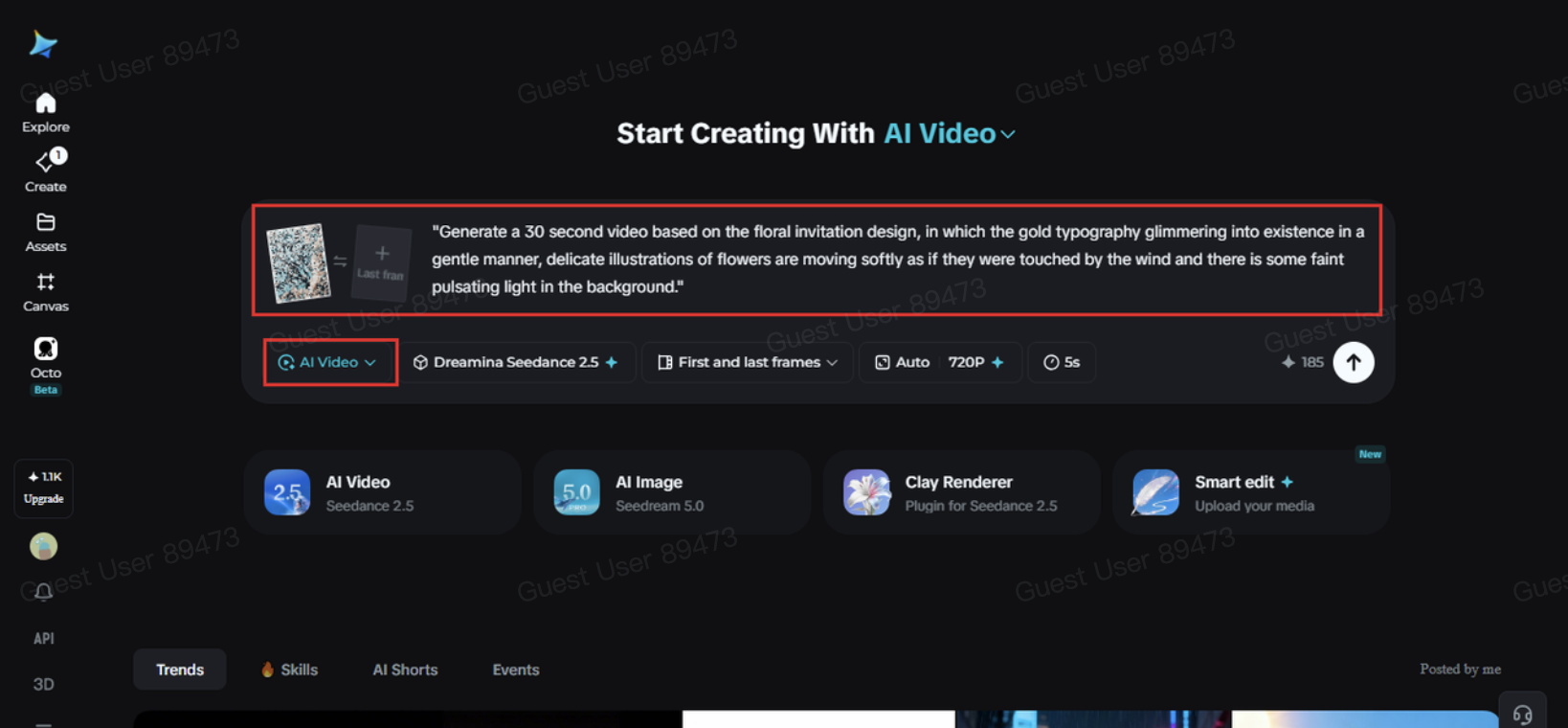
Log in to Dreamina and select "AI Video" tab. Click on "Add reference image" to add your invitation design and write a prompt that describes the way the design should be animated.
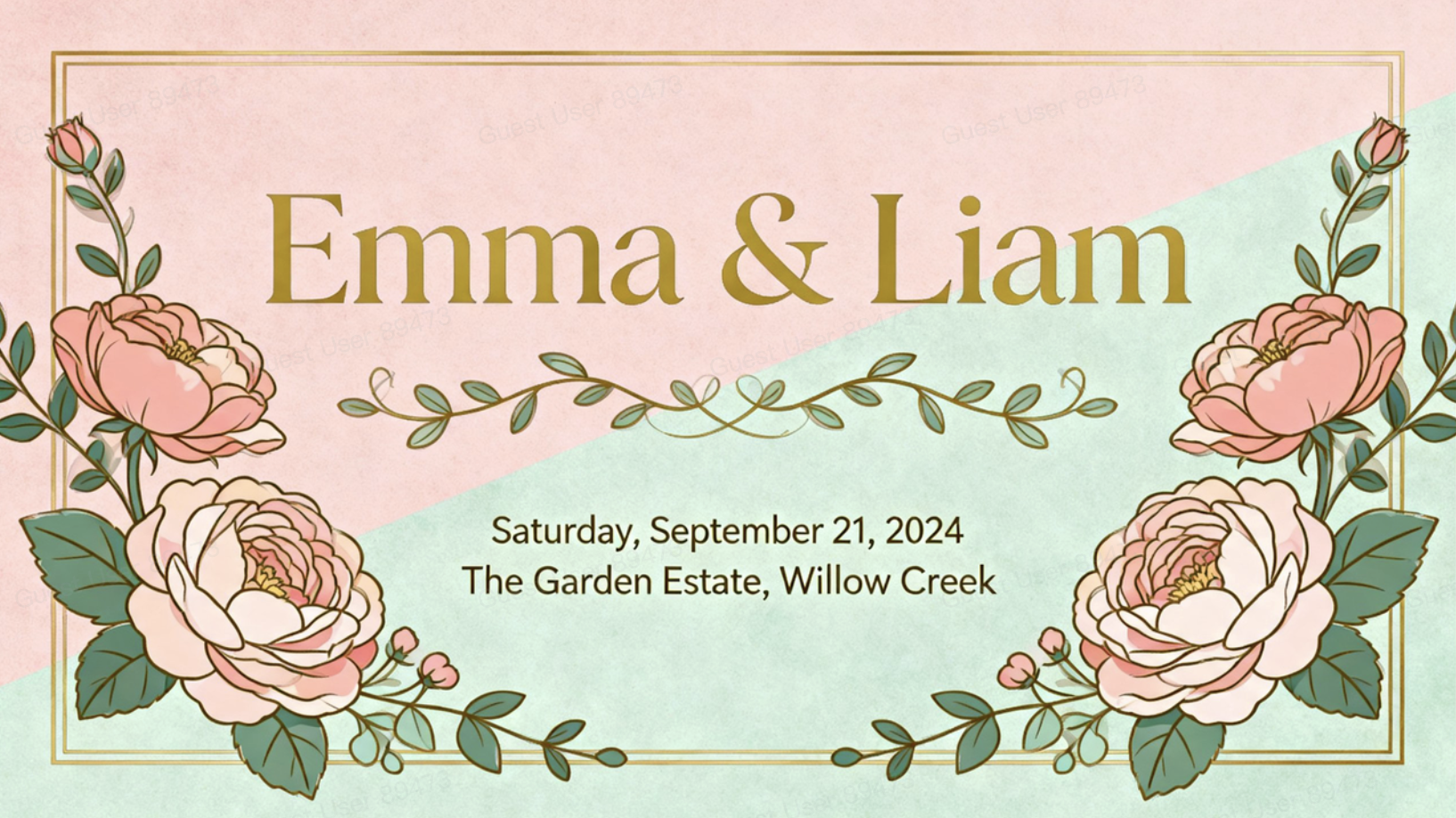
Example prompt for 30 seconds: "Generate a 30 second video based on the floral invitation design, in which the gold typography glimmering into existence in a gentle manner, delicate illustrations of flowers are moving softly as if they were touched by the wind and there is some faint pulsating light in the background."
Step 2: Generate with Seedance 2.5
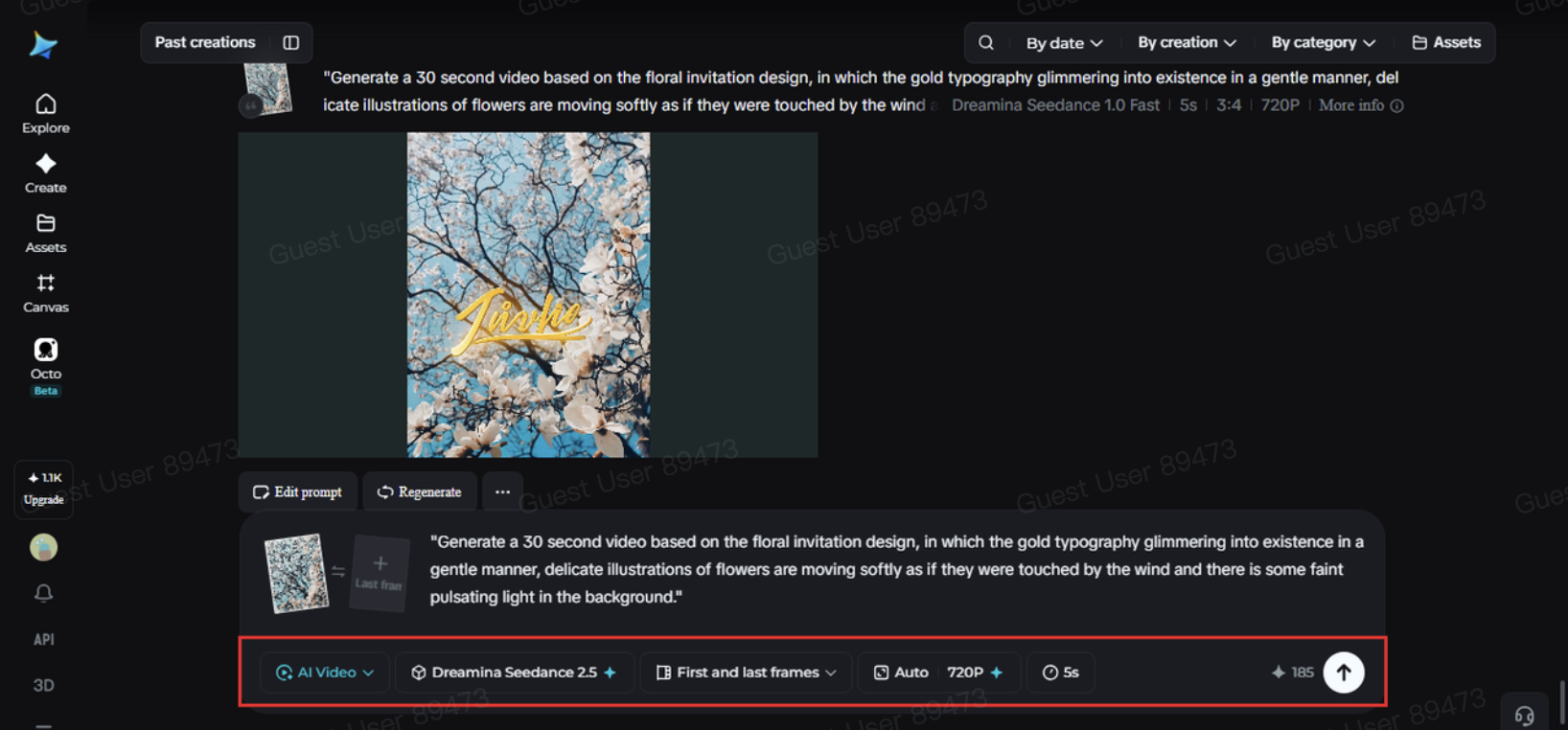
Choose the Seedance 2.5 model, set your desired length, then pick an aspect ratio, 9:16 works well for phone screens and social shares, while 16:9 suits a website or email embed. Click Dreamina's generate icon and let the design come to life.
Step 3: Polish and share the final invite
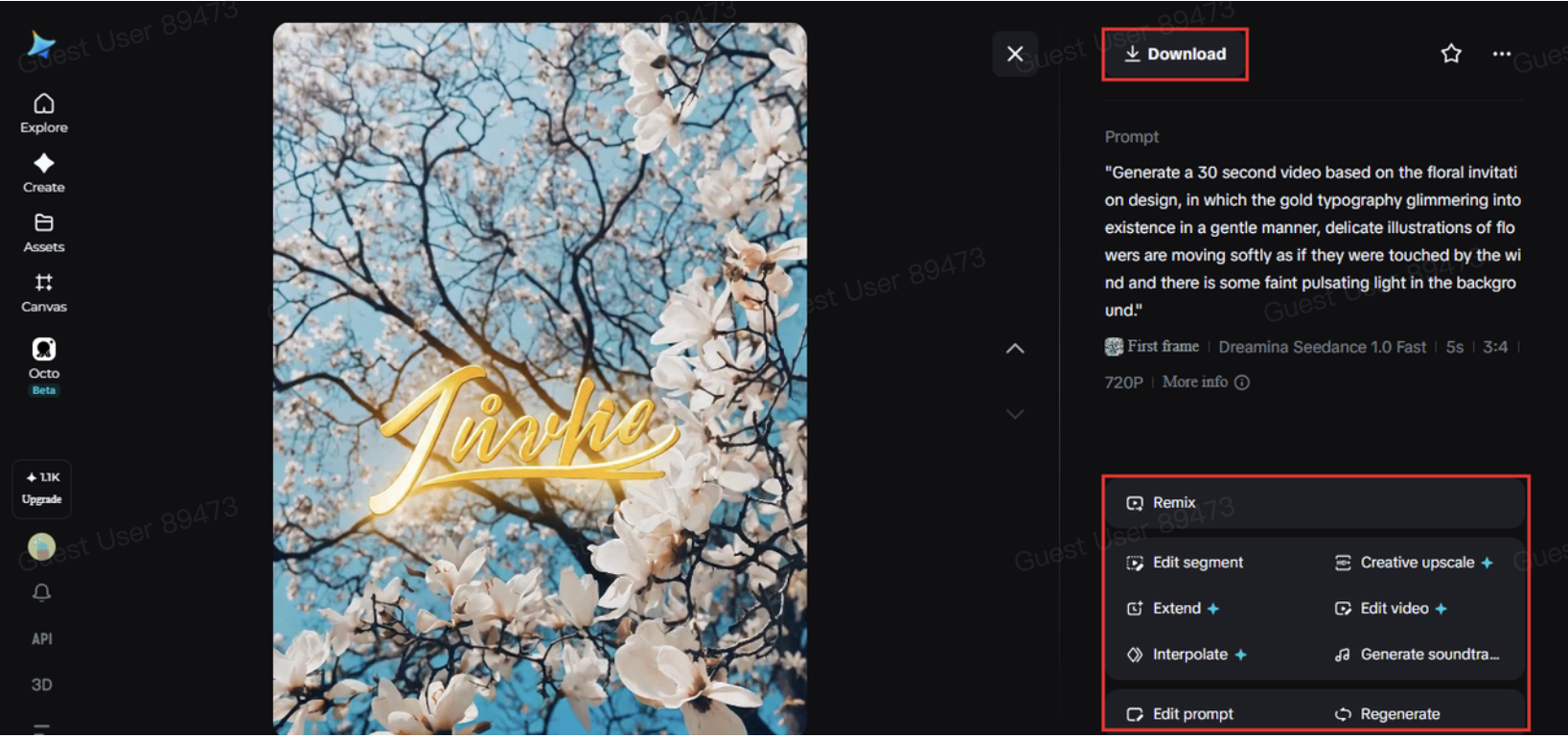
Use Dreamina's editing tools to finish things off, Upscale for crisper detail, Generate Soundtrack for a gentle music bed that matches the occasion, then export and send it out to your guest list.
What Seedance 2.5 brings to invitation design
Seedance 2.5, Dreamina's most advanced video generation model, is well suited to the kind of subtle, controlled motion invitations call for.
Stable motion on delicate detail
The model keeps fine typography and linework crisp and glitch-free throughout, which matters more on an invitation than almost anywhere else.
Local editing for last-minute changes
A single detail, a date, a monogram, a small illustration, can be adjusted without redoing the entire animation, useful when a detail changes after generation.
A cleaner, more natural finish
Reduced "AI look" means soft effects like glimmer or drifting petals read as intentional, and the output arrives without stray subtitles or unwanted background audio.
Support across languages
Multilingual support makes it straightforward to generate invitations written in a language other than English.
In relation to keeping consistency in the brand and theme
If the invitation is part of a brand of events that includes the color schemes used in a wedding or a corporate launch with visual guidelines already established, it would make sense to keep the same colors, typefaces, and themes used in the creation of the animation. This will ensure that there is consistency in the static and animated invitations as well as in any other materials associated with the event. The guests will definitely appreciate the continuity and consistency in the videos created.
Writing a prompt that matches your event's mood
The tone of your prompt should mirror the tone of the event. The minimalist invitation for the company party will require subdued language - slight transitions and smooth fades, but an invitation for a birthday or celebration may use some movement and fun language. Knowing the tone and pace makes it easier for Seedance 2.5 to understand the goal.
Picking the right format for where it's going
An invite meant for a group text or Instagram Story works best in 9:16, short and immediately readable. One meant for an email or event website benefits from 16:9 and a slightly longer runtime, since guests are more likely to sit with it for a few extra seconds.
Mistakes that flatten an otherwise good invite
A few things tend to undercut the effect. Overloading the animation with too many moving elements at once can make it feel chaotic rather than elegant. Ignoring the color and font choices from the original static design creates a disconnect between the two. And skipping a soundtrack, even a quiet one, can leave the final video feeling incomplete. It also helps to keep the essential details — date, time, location — visible long enough to actually be read, rather than letting them flash by in the excitement of the motion.
Where animated invitations get used
Beyond weddings and birthdays, this format has found its way into product launch announcements, brand event teasers, gallery openings, and milestone celebrations shared across social platforms, where a moving invite tends to get saved and shared far more often than a static image ever does. Event planners in particular have started leaning on this format to give clients a preview that feels closer to the finished event itself.
A still invitation was always announcing something worth looking forward to, it just needed a way to show it. With Dreamina and the precision Seedance 2.5 brings to subtle, elegant motion, that announcement can finally feel like the first moment of the celebration itself, giving guests a reason to feel excited well before the actual date arrives.